Why People Confuse SmartDNS and Dynamic DNS
Finding the right Domain Name System (DNS) service can send anyone down a rabbit hole of options. What with so many different companies and all their different packages, it can get confusing keeping everything straight. Lately, there has been some confusion between SmartDNS and Dynamic DNS: Can you use SmartDNS for remote access? Or, is SmartDNS the same as DDNS? In today’s blog, we are going to explain what they are, how they are related (spoiler: they’re not the same!), and what options No-IP has to offer.
What Is SmartDNS?
Let’s start with the basics: SmartDNS is a proxy-based DNS service that routes certain traffic through alternate servers to make it appear as if it’s coming from another region. This type of service is especially useful for accessing geo-restricted content, such as streaming services.
The SmartDNS service rewrites DNS queries for specific domains. There is no encryption and no IP masking. SmartDNS is about content access.
What SmartDNS Can and Can’t Do
So what can SmartDNS do? If you are trying to access region-locked websites or media, SmartDNS is the way to go. Additionally, it comes in handy for preserving faster speeds than a VPN since encryption is unnecessary.
However, there are some things that SmartDNS cannot provide, such as enabling remote access to your personal network and devices. It also does not provide secure networking or IP management which is done with VPN and DDNS. Therefore, anything requiring encryption, dynamic IP updates, or custom DNS configuration cannot be done with a SmartDNS service.
SmartDNS is great if you’re trying to watch a show that’s not available in your country, however, not useful if you’re trying to access your security camera or run a home server.

What Is Dynamic DNS (DDNS)?
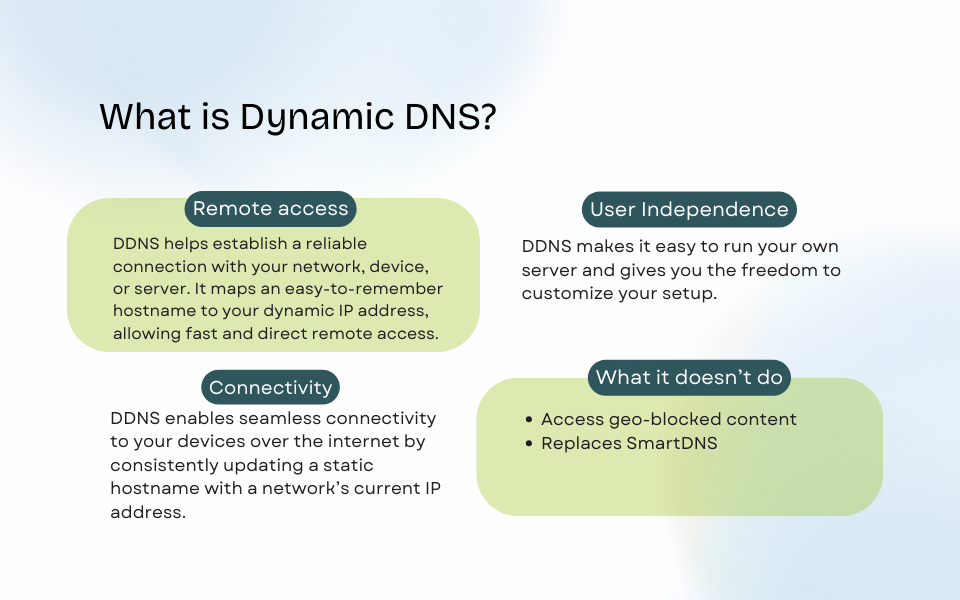
DDNS helps establish a reliable connection with your network, device, or server. It maps an easy-to-remember hostname to your dynamic IP address, allowing fast and direct remote access.
DDNS enables you to access devices on a remote network, like printers, scanners, or media servers. The connection makes it easy to locate and connect to these devices over the internet. The quick and easy set-up allows users to take control over their devices without any pain-stalking procedures.
While DNS acts like a phonebook, linking URLs to IP addresses, DDNS enables seamless connectivity to your devices over the internet. DDNS uses DNS infrastructure in a clever way in order to bypass the need of a static IP address by consistently updating a static hostname with a network’s current IP address. The best dynamic DNS solutions prevent service interruptions by quickly propagating IP address changes.
Setting up DDNS is easy as most devices these days are integrated with a DDNS provider, sometimes even multiple providers. Even without integrated support, users can rely on a Dynamic Update Client on a PC that is always on.
SmartDNS and Dynamic DNS Overview
Comparing SmartDNS and Dynamic DNS is not like comparing apples to apples: They provide different services for very different things. See the chart below to help differentiate the two.
| Feature | SmartDNS | Dynamic DNS (DDNS) |
| Primary Purpose | Access geo-blocked content | Maintain access to devices behind a dynamic IP |
| Use Case | Streaming & browsing | Remote access, servers, IoT devices |
| Best For | Streaming users | Network admins, SMBs, homeowners, gamers |
Why No-IP Doesn’t Offer SmartDNS (and What We Focus On Instead)
If you’re wondering how SmartDNS compares to No-IP, the key difference is purpose. SmartDNS is built for accessing media content (as we covered above), while No-IP is designed for reliable, secure remote access and connectivity.
Our mission is simple: keep you connected to your networks and devices seamlessly, anywhere, anytime.
When You Might See SmartDNS Used Together with DNS or DDNS
The most important thing to remember is that SmartDNS and DDNS are not meant to overlap or replace one another.
Sometimes you need Dynamic DNS when you are using SmartDNS. If you are hosting your own SmartDNS provider, then it needs to track your IP in order to allow access to the specific content you’re looking for.
For example, let’s say you are setting up a SmartDNS serverat home because you want to stream a show that is based in South America, but you live in North America. SmartDNS allows you to access region-locked content, but your IP is not getting tracked via any kind of SmartDNS application. Therefore, you will need to set up Dynamic DNS so that the SmartDNS provider knows what your IP is.
Choosing the Right DNS Solution
SmartDNS acts like a content proxy, while DDNS solves the problem of needing a static IP address. The right choice depends on what you’re trying to accomplish.
Before you select a service, you must assess your individual needs to find the right fit. Choosing a dependable DDNS provider ensures you can access your home network and devices from anywhere on the globe. At No-IP, we offer a variety of free and paid DDNS services. With our selection of features and price points, we have a solution for every situation.
If secure, reliable remote access is your goal, explore how No-IP can help.
FAQ
What’s the main difference between SmartDNS and Dynamic DNS?
SmartDNS is a proxy-based DNS service that routes certain traffic through alternate servers to make it appear as if it’s coming from another region.
DDNS is an easy-to-use tool that will give you the freedom to remotely access your device from anywhere. DDNS provides a static domain name, which is essential for connecting to remote networks or devices with dynamic IP addresses. DDNS helps establish a reliable connection and maps an easy-to-remember hostname with your dynamic IP address, allowing fast and secure remote access.
Can I use SmartDNS for remote access?
No, you cannot use a SmartDNS service for remote access.
Is SmartDNS the same as a VPN?
No, a SmartDNS service does not do anything like encrypting or anonymizing traffic, unlike a VPN.
Why doesn’t No-IP offer SmartDNS?
No-IP’s goal is to keep users connected to their own networks and devices securely, anywhere, anytime. At this time, accessing region-locked content is not our focus.
How can I use Dynamic DNS for secure remote access?
Dynamic DNS allows you to remotely access a network, device, or application, making it possible to connect without compromising your wallet.