If you’ve ever tried to set up port forwarding or host a service from home only to find it completely unreachable from the outside world, there’s a good chance CGNAT is the culprit.
Let’s break down what CGNAT actually is, why ISPs use it, and what your options are when it gets in your way.
What is CGNAT?
Traditionally, your home router does some behind-the-scenes work to let all your devices share a single public IP address. That’s standard NAT (Network Address Translation) — a straightforward “one-to-many” model. This model puts one public IP on the outside, many private IPs on the inside, but the router keeps track of all the connections.
CGNAT, also known as CGN, stands for Carrier Grade Network Address Translation. It takes that same concept and scales it up dramatically — to the ISP level. Instead of your router being the only NAT layer, your ISP adds a second layer of NAT upstream.It is used by Internet Service Providers (ISPs), predominantly mobile and Satellite carriers, to allow numerous devices to coexist and share a small number ofpublic IP addresses.
CGNAT also offers a higher tier of security compared to NAT and offers a higher tier of security compared to NAT.
The result is a shared public IP model where a single public IPv4 address is split across a large pool of subscribers simultaneously. You’re not just sharing an IP with your household devices — you’re sharing it with your neighbors, and possibly your entire street.
When CGNAT Is Most Common
CGNAT shows up more often than most people realize. Here’s where you’re most likely to encounter CGNAT:
Residential broadband — Many home internet providers use CGNAT as IPv4 addresses have become increasingly scarce. Unless you’ve specifically paid for a static public IP, there’s a real chance you’re behind CGNAT without knowing it.
Cellular networks — Mobile carriers are running millions of active devices at a time. Handing out unique public IPv4 addresses to each one is simply not viable. Therefore, CGNAT is essentially standard practice across mobile networks.
Satellite internet — Providers use CGNAT by default on their base plans. At such a broad scale, the infrastructure serving satellite customers makes traditional public IP assignment impractical.
Rural ISPs — Smaller providers serving rural areas often operate with very limited IPv4 assignments. CGNAT lets them stretch those resources across their entire subscriber base without acquiring expensive additional address blocks.
Budget-tier internet plans — CGNAT is often how budget plans keep costs low for both the ISP and the subscriber. This is mainly due to not needing to buy a pricey IPv4 address.
What Are Your Options If You’re Behind CGNAT?
Here’s what you can do:
Request a Static Public IP from Your ISP
Ask your ISP for a dedicated static public IP address. This bypasses CGNAT entirely and gives you a real, routable address that’s exclusively yours. Many ISPs offer this as an add-on sometimes for a small monthly fee or only on higher-tier plans.
But beware! Not all ISPs offer it, and some providers simply don’t have the IPv4 capacity to accommodate the request. In other words, don’t count on it being available or affordable everywhere.
Use IPv6
IPv6 was designed precisely to solve the address availability problem that makes CGNAT necessary in the first place. With a practically unlimited address space, every device can have its own globally routable address, no NAT required.
Note that not everything supports IPv6 yet, and if the client or service you’re connecting to doesn’t support it either, you’re back to relying on IPv4 infrastructure.
Use Outbound Tunnel-Based Remote Access
This is becoming the most practical solution for users who need reliable remote access regardless of their ISP setup. Instead of waiting for inbound connections (which CGNAT blocks), your device initiates an outbound connection to an external relay or tunnel endpoint. This approach works without any changes to your ISP plan or network configuration.
It doesn’t matter whether you have a public IP, a static IP, or you’re three layers deep in NAT — the outbound tunnel model sidesteps all of that.
Why ISPs Use CGNAT
CGNAT isn’t something ISPs made up. There are legitimate reasons it’s become so widespread.
IPv4 Address Exhaustion
The internet runs on IP addresses. The IPv4 address space, roughly 4.3 billion unique addresses, was effectively exhausted at the regional allocation level years ago. Meanwhile, the number of internet-connected devices has boomed. Smartphones, smart home devices, andconnected appliances to name a few, have caused the demand for IP addresses to be grown far beyond what anyone anticipated when IPv4 was designed.
Cost and Infrastructure Efficiency
Acquiring IPv4 address blocks on the open market is expensive as the pool has shrunk. CGNAT lets ISPs conserve their existing public IP inventory by multiplexing it across a much larger subscriber base.
It also scales appropriately. Instead of managing per-subscriber public IP assignments, ISPs can handle NAT translation for thousands of users at once, which simplifies provisioning and reduces overhead as subscriber counts grow.
Network Simplification
Assigning and managing a unique public IP for every residential subscriber creates a lot of operational complexity. CGNAT removes that requirement, making it the path of least resistance for ISPs operating at scale. It’s now a standard practice across mobile networks, satellite providers, and a significant portion of residential broadband infrastructure globally.
How CGNAT Works
Take a look at the breakdown of how CGNAT works.
Private Address Assignment
When your router connects to your ISP under CGNAT, it doesn’t receive a public IP address. Instead, it gets a private IP from a reserved range (typically 100.64.0.0/10, which is specifically designated for CGNAT use). These addresses are not globally routable — meaning the rest of the internet has no direct path to reach them.
ISP-Level NAT Translation
Your traffic travels from your private home network, through your router’s NAT, and then hits the ISP’s CGNAT infrastructure. At that layer, multiple subscribers’ traffic using private addresses gets translated behind a shared public IP before heading out to the internet. Port mapping at this level is managed entirely by the ISP’s infrastructure, not your router.
Inbound Traffic Limitation
Here’s the critical part: because there’s no unique public IP assigned to your connection, there’s no direct route for inbound traffic to find you. The ISP’s CGNAT layer doesn’t expose per-customer port mappings, so even if you configure port forwarding perfectly on your home router, inbound requests have no way to reach you through the ISP’s NAT layer above it.
How CGNAT Disrupts Traditional Remote Access
Traditional Remote Access Relies on Inbound Connections
Originally, remote access setups, such as port forwarding, direct IP access, and self-hosted services, all share one fundamental baseline: Your connection has a unique, reachable public IP address. The typical workflow is to configure your router to forward a specific port to a device on your local network, point your remote client at your public IP, and connect. It operates when you have a real public IP.
Under CGNAT, Inbound Routing Fails
CGNAT goes against this model. Since you don’t have a unique public IP assigned to your connection, there’s nowhere for inbound traffic to be directed. A remote client trying to reach your IP is actually hitting an address shared by potentially thousands of other subscribers.
Common Signs You’re Under CGNAT
Not sure whether you’re under CGNAT? Here are the signs:
- The IP shown in your router doesn’t match your public IP. Check your router’s WAN IP, then visit a site like WhatIsMyIP.com. If the two addresses don’t match, you’re behind at least one extra layer of NAT — almost certainly CGNAT.
- Port forwarding is configured correctly, but services are still unreachable externally. You’ve double-checked the rules, the firewall settings, and everything works locally — but nothing is accessible from outside your network.
- Services work on your local network but fail when accessed remotely. If something is reachable on your LAN but unreachable from a mobile connection or another network, CGNAT is a prime suspect.
Traditional Remote Access Methods That Fail Behind CGNAT
- Port forwarding — Router-level rules are irrelevant when the ISP’s NAT layer above you isn’t forwarding anything to your connection.
- Direct IP access — Pointing a client at your “public” IP doesn’t work when that IP is shared and not your actual endpoint.
- Self-hosted services are exposed via public IP — Running a home server, game server, or any self-hosted service that expects inbound connections are blocked. There’s no reliable path for external clients to reach you.
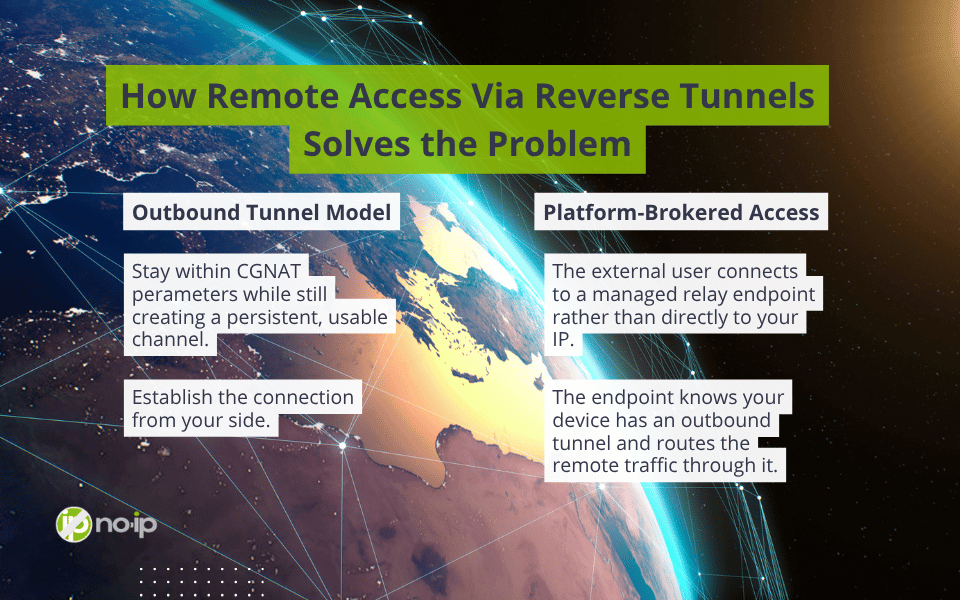
How Remote Access Via Reverse Tunnels Solves the Problem
Reverse tunnel-based remote access flips the connection model.
Outbound Tunnel Model
CGNAT will block any inbound connection. Instead, your device initiates an outbound connection to an external relay endpoint. Therefore, by establishing the connection from your side, you stay within what CGNAT permits while still creating a persistent, usable channel for remote access.
In other words, your device reaches out, the tunnel is established, and that session remains open for remote clients to connect through. This is all without requiring a public IP.
Platform-Brokered Access
In a reverse tunnel setup, the external user connects to a managed relay endpoint rather than directly to your IP. That endpoint acts as the broker: it knows your device has an outbound tunnel, and it routes the remote traffic through it. No inbound routing to your IP is ever required. NAT traversal is handled automatically by the platform, and the process is basically invisible to CGNAT. It’s the same way whether you’re on residential broadband, cellular, or satellite.
CGNAT and the Future of Remote Access
The IPv4 addresses are gone, the market price for what remains is high, and IPv6 adoption, while growing, is still uneven around the world. CGNAT adoption is going to keep increasing, not decreasing.
Thankfully, the No-IP Public Tunnels is launching SOON! Learn how to get early access and be among the first to adopt this modern remote access solution.