Why and When You Should Consider Migrating Your DNS
DNS migration is the process of moving a domain’s DNS zone– records, settings, and authoritative nameservers– from one provider to another. That includes records like A, AAAA, CNAME, MX, TXT, and SRV, along with the nameserver configuration at your registrar.
The goal isn’t to redesign your DNS from scratch. A successful migration recreates your existing behavior on a new platform, ideally with better performance, reliability, security, or management features behind the scenes.
Because DNS sits at the center of how users and systems reach your services, migrations deserve careful planning. Done right, they’re routine. Done poorly, they can take websites, email, and APIs offline.
This guide walks through why organizations migrate DNS, when it makes sense, and how to do it safely, with links to deeper No-IP resources where appropriate.
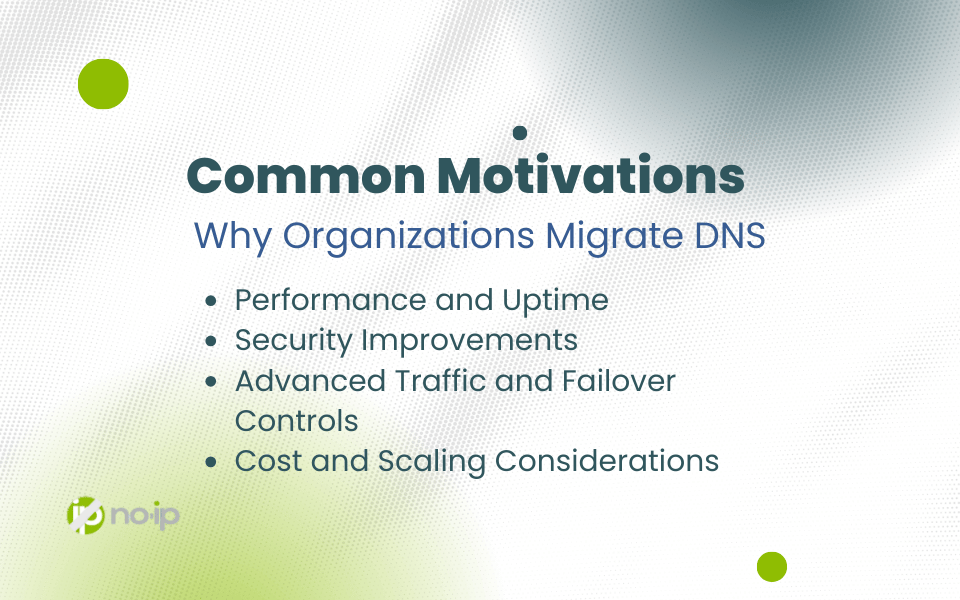
Common Motivations: Why Organizations Migrate DNS
Most DNS migrations start with a simple realization: not all DNS providers offer the same level of service.
Performance and Uptime
Modern DNS providers operate global Anycast networks, which answer queries from locations closest to users. This reduces latency and improves reliability. If your current provider has limited geographic coverage or inconsistent response times, DNS migration alone can noticeably improve performance.
Security Improvements
Many organizations migrate DNS to gain access to stronger security controls, including:
- Built-in DDoS protection
- DNSSEC support
DNS filtering and traffic controls
These features help protect domains from spoofing, cache poisoning, and abuse: capabilities often missing from basic hosting DNS.
Advanced Traffic and Failover Controls
More capable DNS platforms offer tools like:
- Automated failover and health checks
- GeoDNS and traffic steering
- API access for automation
Real-time analytics and logging
These features give teams better visibility and faster response when something goes wrong.
Cost and Scaling Considerations
As infrastructure grows, pricing models matter. Switching providers can simplify billing, unlock bundled features, or reduce costs while still meeting technical requirements.
Hidden Risks of DNS Migration You Need to Know
DNS is the control plane for how users and systems locate your services. Mistakes during a migration can have immediate and widespread impact: taking websites offline, breaking email delivery, or disrupting APIs and third-party integrations. These failures aren’t just technical annoyances; they directly affect availability, user trust, and business operations.
One of the biggest challenges is that DNS failures often don’t surface immediately. Recursive resolvers, browsers, and ISPs aggressively cache responses, so misconfigurations may only become visible hours after the cutover. By the time users report issues, the change is already live—and slow to unwind.
Caching and Propagation Pitfalls
Some users resolve to the new environment while others still reach the old one. This is because stale cache entries due to higher TTLs or resolver-side caching delaying full propagation.
Missing or Misimported Records
Records may appear correct, but services fail or behave inconsistently. Unfortunately, conflicting definitions, such as overlapping CNAMEs or multiple A records pointing to unintended targets, can override expected resolution paths.
DNSSEC-Specific Risks
DNSSEC migrations require careful sequencing and coordination between the outgoing DNS provider, the incoming provider, and the domain registrar. If DS records and signing states aren’t aligned during the transition, validating resolvers may treat the zone as bogus, effectively taking the domain offline for DNSSEC-aware clients.
DNS Migration Checklist: Everything to Do Before, During, and After
Before the switch
Avoiding mistakes is essential, so make sure to follow the appropriate protocols for making sure your migration runs smoothly.
Back Up Your DNS Configuration
Every migration should start with a complete DNS inventory, for example:
- All record types (A, AAAA, CNAME, MX, TXT, SRV, CAA)
- Subdomains and delegated zones
- Current TTL values
If possible, export the zone file. Otherwise, document each record manually. Subdomains and legacy entries are easy to miss, and often the ones that break things later. This will make verifying the records easier after the migration, and will save you a lot of time troubleshooting.
Understand TTL and Propagation
TTL controls how long resolvers cache DNS responses.
- Lower TTLs = faster propagation, higher query volume
- Higher TTLs = slower changes, lower load
For migrations, it’s best to lower TTLs several days in advance, especially for critical records. A common target is 300 seconds (5 minutes). While most DNS changes propagate quickly, global propagation can still take up to 48 hours.
Identify Service Dependencies
DNS touches more than just websites. Make sure you account for the following that depend on continuous DNS:
- Email services (SPF, DKIM, DMARC)
- CDNs and third-party platforms
- APIs and internal services
Some systems cache DNS aggressively or use hardcoded values, which may require extra coordination.
Choose the target provider and assess feature gaps
A reliable DNS provider should supply clear documentation, migration tooling, and access to knowledgeable support. If there’s uncertainty around a record type or configuration detail, validating it up front is far safer than making assumptions; doing so avoids extended troubleshooting and reduces the risk of service-impacting outages.
Hidden Risks of DNS Migration You Need to Know
DNS mistakes don’t always show up immediately. Resolver caching at ISPs, browsers, and recursive servers can delay symptoms for hours.
Common Pitfalls
Mixed traffic
Some users hit the new environment, but others still hit the old one. Cached records or nameservers with higher TTLs will be a migration pain-point when DNS changes haven’t fully finalized. This may be due to slow TTL values or the resolver level not caching.
Missing or conflicting records
Services may fail even though records “look right”. When you have conflicting records like duplicate A records, overlapping CNAMEs, or mis-imported data, they can cancel out or override each other.
DNSSEC missteps
DNSSEC makes migrations less forgiving. Moving a signed zone between providers requires coordination with both DNS operators and the registrar, and any misalignment in DS records or signatures can cause resolvers to treat the domain as invalid, leading to hard outages that are slow to diagnose.
DNS Migration Checklist
Before the Switch
Inventory all DNS records and services
Create a full map of records and the services they support. This makes validation much easier later.
Lower TTLs and plan a migration window
Reduce TTLs in advance and define when you’ll make the cutover. Always have a rollback plan.Choose the right provider
Look for clear documentation, migration tools, and responsive support. Guessing during DNS changes is a fast way to create outages.
During the Switch
Import and verify your DNS zone
Recreate or import records into the new provider and validate:
- A and AAAA records
- MX priorities
- CNAME targets
- TXT records for email and verification
- Service-specific SRV records
Compare against your backup and test using tools like dig to ensure accuracy.
Test before going live
Query the new provider’s nameservers directly to confirm resolution. This step catches issues before users ever see them.
Update nameservers at the registrar
Once ready, make sure to replace old nameservers with the new ones and save changes. The propagation starts quickly but completes gradually worldwide.
Keep the old provider active
Maintain the old DNS service during propagation so that cached resolvers still receive valid responses.
Monitor global resolution
Watch traffic, uptime, email flow, and user reports closely during the first 24–48 hours. This can be achieved using uptime monitors and DNS checkers.
After the Switch
Restore TTLs
Reduce unnecessary lookups by returning TTLs to normal values (often 3600s or 86400s).
Verify logs and traffic patterns
Confirm expected request volumes and service behavior.
Decommission the old provider
Once you’re confident the new nameservers are authoritative everywhere, clean up legacy configurations. This includes removing all instances calling out the old nameservers.
Set up ongoing monitoring
DNS monitoring and uptime checks help catch issues early—especially after infrastructure changes.
How to Switch DNS Providers Without Downtime
Downtime-free DNS migrations rely on the following processes:
- Lowering TTLs ahead of time
- Phased migration process
- Testing the new provider before cutover
- Running old and new providers in parallel during propagation
- Ensuring email continuity and service availability during transition
DNS is heavily cached. If something breaks after nameserver changes, fixes won’t be instant. Testing first keeps problems invisible to users.
When It’s Time to Migrate: A Quick Decision Checklist
Consider migrating your DNS to a different provider if you’re seeing:
- Slow resolution or regional performance issues: Unlike modern DNS providers, limited providers lack enough geographic diversity and experience slowdowns, frequently.
- Missing security features like DNSSEC or DDoS protection: Security features are now standard with modern DNS providers.
- Limited analytics, automation, or failover options: Internal capacity is detrimental to a well-managed and successful DNS infrastructure. Lack thereof will result in lost time and money.
Pricing that no longer fits your usage: As businesses grow, so do their network needs. Migrating to a new provider may also be an opportunity to find competitive pricing and more accommodating services.
Troubleshooting Common DNS Migration Issues
Symptoms You Might See
- Users landing in different environments
- Services failing despite “correct” records
- HTTPS or certificate warnings after cutover
Tools and Fixes
- Use dig, nslookup, or DNSChecker to identify propagation gaps
- Audit records for conflicts (A vs CNAME, duplicates, deprecated entries)
- Use SAN or wildcard certificates for multi-subdomain environments
In the short term, affected users can flush DNS cache or switch to a public resolver like 8.8.8.8.
Rollback Planning: Your Safety Net
A solid rollback plan includes:
- Portable DNS backups (BIND, CSV)
- Access to both DNS providers and your registrar
- Clear steps to revert nameserver changes
- Internal and vendor contact information
You may never need it, but having it reduces stress and improves decision-making under pressure.
Your Action Plan for a Smooth DNS Migration
If nothing else, here are some key takeaways:
- Inventory everything
- Identify dependencies
- Lower TTLs early
- Test before switching
- Choose a provider that matches your needs
With preparation and the right tooling, DNS migration is a controlled infrastructure change, not a leap of faith.