
Managing a handful of devices on a predictable network is straightforward. Managing hundreds, or thousands, across distributed locations, mixed ISPs, and shifting IP addresses is a different problem entirely. At that scale, the tools and habits that worked in a smaller environment start breaking down in ways that are slow, expensive, and hard to diagnose.
Today’s blog is about how a Dynamic DNS service functions as a control layer for large-scale remote device management and why DNS stability is one of the most underrated foundations in enterprise and MSP network infrastructure.
The Core Challenge: Scale Changes Everything
There’s a version of network management that works efficiently on a moderate scale: Your devices are accounted for, you know their IP addresses, and when there is an updated, you can do so manually. It’s a little bit manual, but it works when you’re dealing with a dozen or so endpoints.
But what happens if you multiply that by ten or a hundred? Suddenly, managing device access based on IP addresses alone becomes a full-time job and not a productive one at all. The problem gets more complicated when you include the diversity of modern enterprise infrastructure. For example:
- Remote offices
- IoT sensor networks
- IP cameras
- edge compute devices
- mobile infrastructure
The instability of IP addresses goes from being a minor inconvenience to an operational liability. That’s the core challenge, and it’s why this post focuses on how a dynamic DNS service supports not just connectivity, but scalable remote device management across complex, distributed environments.
Why Device Sprawl Breaks Traditional Network Management
ISPs have been assigning Dynamic IPs by default for decades, and most network administrators have learned to work around them. At scale, the problem isn’t that IPs change. Instead, there is no system in place that adapts to those changes automatically and on a consistent basis.
Here’s an example of what that looks like:
ISP-assigned addresses rotate without warning
A small business ISP connection can change its public IP after a router reboot, a service interruption, or per ISP policy. These can be noticed and fixed in a small deployment. However, across hundreds of endpoints managed by an MSP or enterprise IT team, you don’t notice until something stops working.
Mobile and edge deployments operate outside traditional network boundaries
A cellular-connected IoT device or a field-deployed edge appliance doesn’t have a stable IP by design. It connects through whatever carrier infrastructure is available and gets assigned an address. Then, that address is subject to change any time the connection drops and re-establishes. Therefore, building management workflows around those addresses is incredibly delicate.
Static IPs are expensive and increasingly scarce
IPv4 exhaustion has made static public IP addresses a scarce resource. For an enterprise managing dozens of locations or an MSP serving hundreds of clients, assigning a static IP to every managed device is not cost-effective or feasible. Any management system built on that assumption will require constant manual intervention to stay functional as device counts grow.
Dynamic DNS as a Control Layer, Not Just a Connectivity Tool
Dynamic DNS is a way to reach a network when your IP address changes. Although accurate, that framing is limited. It undersells what DDNS actually does in a large-scale deployment context.
For B2B and enterprise environments, the more useful way to think about Dynamic DNS is as a persistent naming layer for changing infrastructure. Rather than tracking IP addresses directly, you assign a stable hostname to each device. DDNS services handle the mapping between that hostname and whatever IP address the device is currently using. When the IP changes, the hostname stays the same and everything pointed at that hostname continues to work without reconfiguration.
That single shift in approach has meaningful downstream effects across how devices are managed:
Stable hostnames for every device
Every device in a managed network gets a consistent, human-readable identifier that upholds connection regardless of IP changes. Remote access tools, monitoring systems, and access control policies can all reference that hostname rather than an IP address that is subject to changing.
Centralized access control
When access is built around hostnames instead of IPs, access policies become easier to manage and audit. That means you’re not tracking down IP address changes across firewall rules and access control lists. Instead, you’re managing named endpoints through a consistent layer.
Reduced operational friction
This leads to time and money saved. The manual work of tracking IP changes, updating configurations, and troubleshooting broken connections are largely eliminated. DDNS services handle the dynamic part automatically, so your team doesn’t have to.
Managing Hundreds of Devices: What Actually Needs to Be Controlled
At the operational level, four core requirements apply regardless of environment size — they just become dramatically harder to satisfy manually as device counts grow.
Consistent device identification
Every device needs a reliable, persistent identifier that survives IP changes, reconnections, and hardware swaps. IP addresses don’t satisfy this requirement at scale.
Secure remote access
Remote access to managed devices need to work predictably. A stable hostname layer ensures that access paths remain valid regardless of what’s happening at the IP level.
Change tracking and visibility
At scale, knowing whenever a device’s IP changed is operationally valuable information. A DDNS service that logs update history allows IT and MSP teams a reference point for troubleshooting that solely IP-based management cannot provide.
Reduced manual intervention
Every manual IP update, firewall rule change, or access credential refresh that results from an address change is overhead that scales with device count. Systems that require manual intervention to stay functional become unmanageable well before you reach enterprise scale.
How Enhanced DDNS Simplifies Large-Scale Device Management
Enhanced DDNS capabilities are what close the gap between a simple connectivity tool and a device management layer.
At the conceptual level, Enhanced DDNS extends the core value proposition in three important directions:
Grouping and organizing devices
Rather than managing individual hostnames in isolation, enhanced DDNS allows devices to be grouped logically — by client, by location, by device type, or by any other organizational structure that fits the deployment. That grouping makes bulk operations, policy application, and reporting significantly more manageable at scale.
Managing updates centrally
In large deployments, the ability to view, manage, and audit DNS updates across the entire device fleet from a single interface is operationally critical. Enhanced DDNS provides centralized visibility rather than requiring per-device management, which doesn’t scale.
Reducing configuration drift
Configuration drift, which is the gradual divergence between how devices are supposed to be configured and how they actually are, is one of the most common sources of operational problems in large environments. A centrally managed DDNS layer reduces drift by ensuring that hostname assignments and update configurations are consistent and auditable across the network. For a deeper look at putting enhanced DDNS capabilities to work in practice,Using Enhanced DDNS covers the operational details worth knowing.
The operational benefit here extends beyond setup time.
Remote Device Management Without Constant Reconfiguration
One of the most underappreciated benefits of a well-implemented DDNS layer is how much it reduces the reconfiguration burden that normally comes with managing dynamic infrastructure.
Persistent access paths
When remote access tools, monitoring agents, and management scripts reference stable hostnames rather than IP addresses, they don’t need to be updated every time an address changes. The access path, or the hostname, remains valid regardless of what’s happening at the network layer beneath it.
Fewer firewall and routing changes
Access control rules and firewall policies built around IP addresses require updates every time those addresses change. Rules built around hostnames are dramatically more stable. This is particularly valuable in environments with strict change management processes where firewall rule updates require approvals and review cycles.
Faster onboarding of new devices
Adding a new device to a managed fleet is faster when the process is standardized around hostname assignment and DDNS registration rather than manual IP tracking and access rule updates. The device gets a hostname, the DDNS client is configured, and the device is immediately accessible through the same access patterns as every other managed endpoint.
For MSP and IT service models, this translates directly into service delivery efficiency. Onboarding a new client site or adding devices to an existing deployment doesn’t require the kind of per-device manual configuration that makes scaling laborous.
Where Dynamic DNS Fits Into Enterprise Network Management
It’s worth being precise about where DDNS sits in the broader enterprise infrastructure stack because positioning it shapes how it gets implemented and what it gets asked to do.
Dynamic DNS is not a device management platform. In other words, it doesn’t replace your RMM tool, your monitoring system, or your access control infrastructure. It provides the DNS stability layer that makes all of those tools more reliable when they’re operating against dynamic infrastructure.
Your monitoring platform is only as reliable as its ability to reach the designated devices. Your remote access tooling is only as reliable as the addresses it’s connecting to. When the underlying IP addresses are unstable, every tool in the stack that depends on them becomes less reliable by extension.
DDNS sits beneath all of those tools and makes them more resilient to the address changes that are an unavoidable reality of dynamic infrastructure. It complements the enterprise management stack rather than competing with any part of it. DNS stability is what underpins the higher-level tools that the rest of the management infrastructure depends on.
Within a broader enterprise stack, DDNS touches three key areas: monitoring reliability by ensuring monitoring targets remain consistently reachable, security by enabling access control policies that don’t require constant IP-based updates, and access control by providing stable named endpoints that credentials and policies can be durably attached to.
MSP and Multi-Client Environments: Avoiding Operational Chaos
For MSPs, the device management challenge is compounded by the multi-client dimension. It’s not just hundreds of devices, it’s hundreds of devices spread across dozens of clients.
A DDNS service addresses this directly by standardizing the access patterns across the entire client base. Every managed device, regardless of which client it belongs to or what network it’s on, gets a consistent hostname that works the same way.
The support that comes from this standardization is significant. Fewer access failures mean fewer support tickets. Fewer support tickets mean more capacity for proactive work.
Common Mistakes When Scaling Device Management
Most of the problems that emerge at scale aren’t caused by the wrong tools. Instead, they’re caused by approaches that worked at small scale being stretched beyond what they were designed to handle. Here are the most common ones worth actively avoiding.
Relying on spreadsheets or manual IP tracking
A spreadsheet of device IPs is already partially wrong by the time it’s populated, and it gets less accurate over time without constant manual maintenance. At a small scale, it’s manageable. At hundreds of devices across multiple locations, it becomes a liability. In turn, decisions get made on stale data, and troubleshooting starts from an unreliable baseline.
Mixing static and dynamic access models inconsistently
Some devices get static IPs, some get DDNS hostnames, and some get accessed by IP directly. Whatever the case, the inconsistency itself is the problem. Standardizing on a single access model across the network eliminates an entire category of confusion.
Treating DNS as an afterthought
DNS is often configured once and forgotten, which works until it doesn’t. Organizations that build their device management workflows around stable DNS from the start have less operational friction than those that interject after addressing problems have already accumulated.
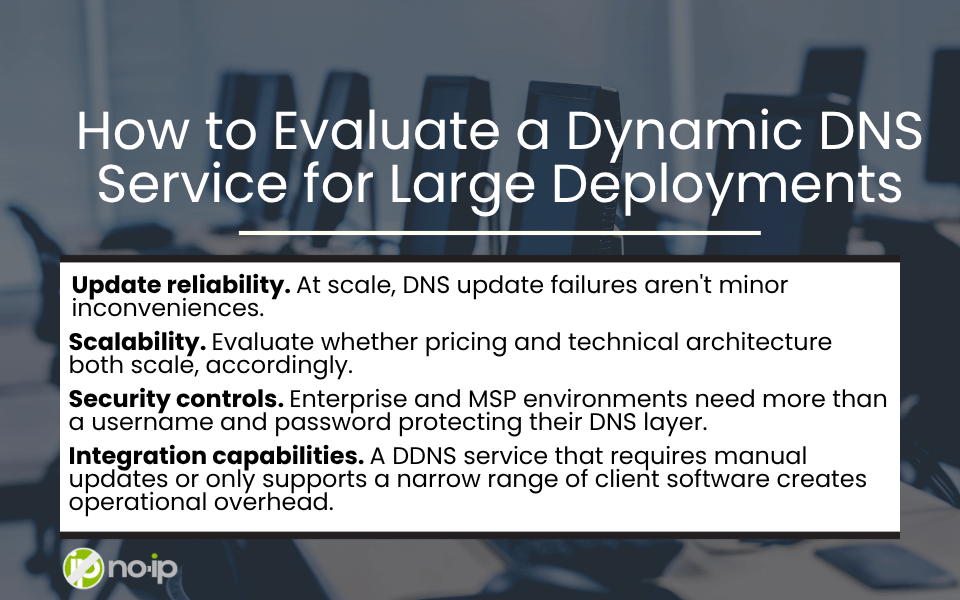
How to Evaluate a Dynamic DNS Service for Large Deployments
Not all DDNS services are built for enterprise or MSP scale. Here’s what IT and MSP teams should actually assess before committing to a service for large deployments:
Update reliability. At scale, DNS update failures aren’t minor inconveniences. Instead, they’re outages. A DDNS service needs to demonstrate consistent, fast update propagation with minimal failure rates. Therefore, look for documented uptime SLAs, update latency benchmarks, and transparency around historical reliability.
Scalability. Evaluate whether pricing and technical architecture both scale gracefully, and whether there are practical limits on hostname counts or update frequency that could become constraints. The service needs to handle the device counts you’re managing today and the counts you’ll be managing in two or three years without degrading.
Security controls. Enterprise and MSP environments need more than a username and password protecting their DNS layer. Look for two-factor authentication, API key management, audit logging, and role-based access controls that let you manage who can make changes to which hostnames across the network.
Integration capabilities. A DDNS service that requires manual updates or only supports a narrow range of client software creates operational overhead. API access, support for common update clients, and compatibility with the operating systems and device types in your environment are baseline requirements for a service that’s going to be part of a large-scale management workflow.
Scaling Device Management Without Sacrificing Control
Managing hundreds or thousands of devices across distributed, dynamic environments requires systems that are designed for change, not systems that assume stability.
The fundamental insight is straightforward: IP addresses are unstable identifiers at scale. Hostnames backed by a reliable Dynamic DNS service are stable ones.
Dynamic DNS doesn’t solve every large-scale device management challenge. But it provides the naming consistency that makes every other part of the management stack more reliable. In complex, distributed environments, that consistency is what separates manageable operations from reactive chaos.
Scaling Device Management FAQs
Can DDNS be used for enterprise environments?
Yes, and it’s increasingly common in enterprise environments managing distributed infrastructure. Select a DDNS service with the reliability, security controls, and scalability that enterprise deployments require rather than a consumer-grade service designed for individual use.
Is dynamic DNS secure for managing large device fleets?
DDNS itself is a naming and resolution service. It doesn’t introduce inherent security vulnerabilities, but it does need to be implemented with appropriate security controls. Look for services that offer two-factor authentication, API key management, and audit logging.
How does DDNS support remote device management?
DDNS ensures that remote access tools, monitoring systems, and management scripts always have a valid, up-to-date address to connect to, regardless of IP changes. DDNS keeps remote access paths functional through the ISP changes, device reconnections, and network reconfigurations that are routine in dynamic environments.
Do MSPs use DDNS services?
Yes, DDNS is a common component in MSP toolkits for managing client environments where static IPs are unavailable, cost-prohibitive, or inconsistent across the client base. The ability to standardize access patterns across diverse client networks using stable hostnames is a meaningful operational advantage at the MSP level.
How many devices can a DDNS service support?
This varies by service and plan tier. Consumer-grade DDNS services typically have hostname limits. Enterprise and MSP-oriented services are designed to handle large device fleets. Evaluate the specific limits and pricing structure of any service you’re considering against your current and projected device counts.
Does DDNS replace device management platforms?
No. DDNS is a DNS naming and resolution layer. It complements device management platforms by ensuring that the addresses those platforms connect to remain valid and consistent. RMM tools, monitoring platforms, and endpoint management systems all benefit from a stable DDNS layer, but DDNS doesn’t replicate the management capabilities those platforms provide.
What happens if a device IP changes frequently?
A well-implemented DDNS service handles frequent IP changes. The DDNS client on the device detects the address change and pushes an update to the service, which propagates the new IP to DNS resolution within the service’s update latency window. For environments with very frequent changes — cellular-connected devices, for example — evaluating a service’s update frequency limits and propagation speed is an important part of the selection process.